Tax Rates
Tax Rates in Collect are synced from Stripe. After they come into Collect you can view, edit, and create Tax Rates in the app or in the Web Dashboard.
Open Settings → Tax Rates to see all available rates. Toggle Apply by Default on any rate to have it automatically included when taxes are applied during a transaction.
How taxes are applied is determined by your Payment Flow:
| Tax Setting | Behavior |
|---|---|
| Always | Default rates are applied automatically, no prompt shown |
| Ask | Default rates are pre-selected, but you can add or remove rates before continuing |
| Never | Tax is skipped entirely, regardless of your defaults |
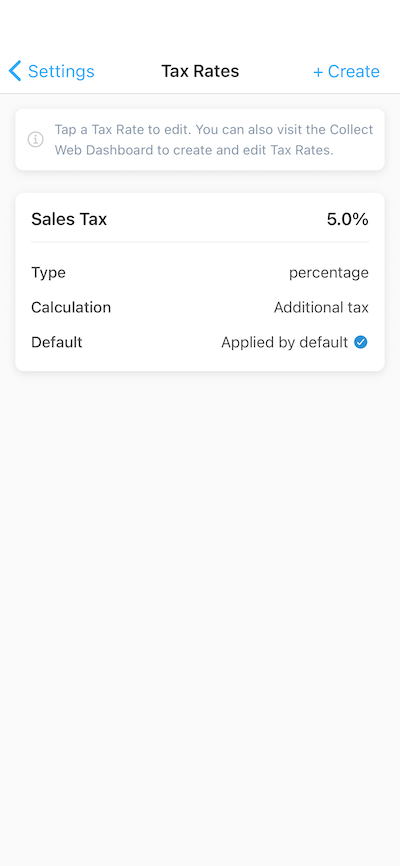
Settings → Tax Rates
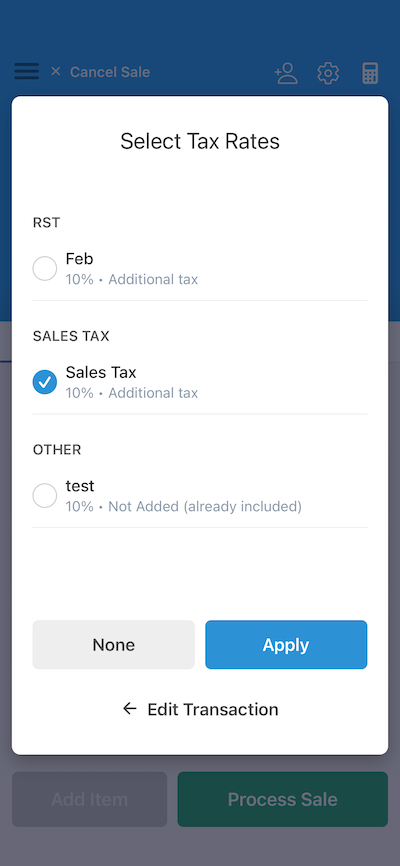
Tax selection step (Payment Flow: Ask)
Tax Rates in Collect are backed by Stripe Tax objects, so any changes sync across your Stripe account automatically.